---
id: 1712
card_url: "https://mdrss.com/software-craft/languages-and-idioms/1712"
permalink_url: "https://mdrss.com/m/1712"
thread_url: "https://mdrss.com/s/software-craft"
markdown_url: "https://mdrss.com/software-craft/languages-and-idioms/1712/1712.md"
title: "Bootstrap project to work with microservices using Java"
annotation: "Watch the videos demonstrating the project Read about the project here The idea of this project is to provide you a bootstrap for your next microservice architecture using Java. we are addressing main challenges that everyone faces when is starting with microservices."
state: published
thread: software-craft
domain: software-craft
category: languages-and-idioms
type: guide
tags: ["microservices", "microservices-architecture", "spring", "spring-cloud", "java", "architecture", "course", "aws"]
ontology_terms: []
relation_terms: []
license: "MIT"
version: 1
snapshot_at: "2026-08-04T12:19:48.524Z"
source_url: "https://github.com/apssouza22/java-microservice"
source_kind: "mdrss-final-catalog"
platform_scam_risk: null
platform_evidence_score: 0
evidence_urls:
- "https://github.com/apssouza22/java-microservice"
---
# Bootstrap project to work with microservices using Java
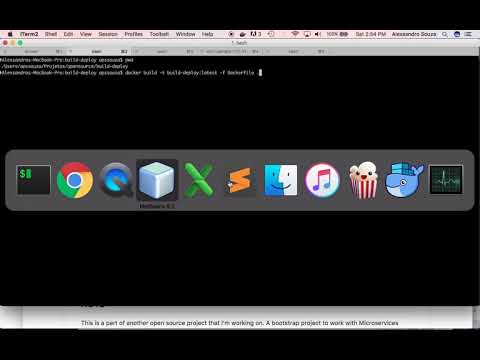
Watch the videos demonstrating the project
 Read about the project [here](https://dzone.com/articles/bootstrapping-microservices-your-microservice-arch)
The idea of this project is to provide you a bootstrap for your next microservice architecture using Java. we are addressing main challenges that everyone faces when is starting with microservices. This project will definitely help you get an understand about microservices world and save you a lot of time in setting your initial microservice architecture.
Basically, if you are interested in microservice, either study or want to implement microservice approach at your work, this project is for you!
Read about the project [here](https://dzone.com/articles/bootstrapping-microservices-your-microservice-arch)
The idea of this project is to provide you a bootstrap for your next microservice architecture using Java. we are addressing main challenges that everyone faces when is starting with microservices. This project will definitely help you get an understand about microservices world and save you a lot of time in setting your initial microservice architecture.
Basically, if you are interested in microservice, either study or want to implement microservice approach at your work, this project is for you!
 Microservice principles addressed:
* Scalability
* Availability
* Resiliency
* Independent, autonomous
* Decentralized governance
* Failure isolation
* Auto-Provisioning
* Continuous delivery through DevOps
Microservice patterns:
* Circuit Breakers
* API Gateway
* Command Query Responsibility Segregation (CQRS)
* Saga Pattern
* Event Sourcing
* Log Aggregation
* Health Check
* Service Discovery
* External Configuration
* Distributed authentication
-----
## Free Advanced Java Course
I am the author of the [Advanced Java for adults course](https://www.udemy.com/course/advanced-java-for-adults/?referralCode=8014CCF0A5A931ADED5F). This course contains advanced and not conventional lessons. In this course, you will learn to think differently from those who have a limited view of software development. I will provoke you to reflect on decisions that you take in your day to day job, which might not be the best ones. This course is for middle to senior developers and we will not teach Java language features but how to lead complex Java projects.
This course's lectures are based on a Trading system, an opensource project hosted on my [Github](https://github.com/apssouza22/trading-system).
-----
Technologies that you will see in this system:
Spring Boot, Spring Data, Spring Cloud Eureka, Load Balancing with Ribbon,
Declarative REST Clients with Feign, Software Circuit Breakers with Hystrix,
Administrating using Spring admin,Log management with Elastic search, Logstash and Kibana (ELK),
Server load balancing with Nginx,
Infrastructure management with Docker-compose, JMX application monitoring,
Security with Spring Security OAuth, Oauth2 with JWT, Aspect Oriented Programing,
Distributed events with Kafka, Spring Stream Maven Multimodule project, Event Sourcing,
CQRS, REST, Web Sockets, Continuous deploy with Jenkins, and all developed using Java 8.

## How to use
* run `package-projects.sh`
* run `docker-orchestrate.sh`
* `docker-compose -p todo up`
## Continuous deploy using Jenkins Pipeline
We have created a docker image in order to have continuous deploy in our project [here](https://github.com/apssouza22/build-deploy).
This image will contain all necessary to build our project, create the Docker images and
deploy on AWS using ECS containers.
To make this integration easy, we have added the `Jenkinsfile` with the steps necessary to have
the Docker image built. To use it, you will need just to configure a Job on Jenkins using Pipeline plugin
and paste the content of the Jenkinsfile in the Pipeline script box. Have a look at this
[video](https://www.youtube.com/watch?v=u3xLXEnlu2M&t=1023s&index=2&list=PLoO1q0-ZB3v6ZN6qvk0dsRRuxjiAQDuZx)
to check how to work with Jenkins pipeline
### Deploy on AWS
* Create your credentials on AWS
* Create your cluster on AWS console
* Have the build-deploy container running (Checkout in the project's README how to do it)
* Access Jenkins painal
* Create a pipeline job
* Run the Job
### Accessing the services
* Authenticate -> ```curl -X POST -vu todo-app:123456 http://localhost:8017/oauth/token -H "Accept: application/json" -d "password=1234&username=apssouza22@gmail.com&grant_type=password&scope=write&client_secret=123456&client_id=todo-app"```
* Get data using the access_token -> `localhost:8018/accounts?access_token={access_token}` or `curl -H "Authorization: Bearer $TOKEN" "localhost:8018/path"`
### Scaling
NGINX will be configured for browser caching of the static content and Load balance. For that we will need to scale our App Gateway
and update manually the ports in `default.conf` file, in the upstream configuration section:
```
upstream backend {
server gateway:8018;
server gateway:DYNAMICPORT;
server gateway:DYNAMICPORT;
}
```
And we will run the compose file with `--scale` parameter:
`docker-compose -f proxy-docker-compose.yml -p todo up --scale gateway=2`
### URLs
Monitoring stream - http://localhost:8022/turbine.stream
To-dos http://localhost:8015/todos
Users http://localhost:8016/accounts
Eureka server - http://localhost:8010/
Config server - http://localhost:8888/
Boot admin - http://localhost:8026
Kimbana - http://localhost:5601
Elasticsearch Info: http://localhost:9200
Elasticsearch Status: http://localhost:9200/_status?pretty
NGINX Status: localhost:8055/nginx_status
docker-compose -p todo up
docker-compose -p todo down
## OBS
* In order to make ELK work we need to reserve 3GB RAM to docker(docker settings - advanced - memory )
* Have a look at the Readme of each service/ module to see the explanation about it.
* On Kimbana create a filter called `filebeat-*` to see the logs
## Useful Commands
### Creating to-do via Curl
```
curl -d '{"userEmail":"alex@test.com", "caption":"post caption", "description":"desc", "priority": 1}' -H "Content-Type: application/json" -X POST http://localhost:8015/todos
```
### Stopping, Starting, Restarting...
```
# running separated container and link to the network infrastructure
docker run -d -p 8018:8018 --network todo_net --add-host eureka:172.19.0.5 --add-host config:172.19.0.2 todo/reminder-service
# orchestrate start-up of containers, tailing the logs...
docker-compose -p music up -d container-name && docker logs elk --follow # ^C to break
# stopping containers
docker-compose todo stop
docker-compose todo down
# starting containers
docker-compose -p todo up
# removing containers
docker-compose todo rm
```
### Application Startup Issues
```bash
# stop / start Tomcat
docker exec -it container-name sh /usr/local/tomcat/bin/startup.sh
docker exec -it container-name sh /usr/local/tomcat/bin/shutdown.sh
# check logs for start-up issues...
docker exec -it container-name cat /usr/local/tomcat/logs/catalina.out
docker logs container-name
```
### Kafka
Inside the Kafka container
```
# event consume
/opt/kafka/bin/kafka-console-consumer.sh --zookeeper zookeeper:2181 --topic todo-mail --from-beginning
# producer console
/opt/kafka/bin/kafka-console-producer.sh --broker-list kafka:9092 --topic todo-mail
# Listing topics
/opt/kafka/bin/kafka-topics.sh --list --zookeeper zookeeper:2181
# Create topic
/opt/kafka/bin/kafka-topics.sh --create --zookeeper zookeeper:2181 --replication-factor 1 --partitions 1 --topic pcs
```
### Data
```
#create a new To-Do
curl -H "Content-Type: application/json" -X POST -d '{"id":161,"caption":"Test caption 3","userEmail":"marcia@gmail.com","description":"description 3","createdat":null,"priority":2,"status":"PENDING","version":0,"valid":true}' http://localhost:8015/todos
```
## TODO
* Add private maven repository Artifactory
* Manager services integration through Spring Webflow
* Add Distributed Tracing
## That's all. Leave a star if it helped you!
Microservice principles addressed:
* Scalability
* Availability
* Resiliency
* Independent, autonomous
* Decentralized governance
* Failure isolation
* Auto-Provisioning
* Continuous delivery through DevOps
Microservice patterns:
* Circuit Breakers
* API Gateway
* Command Query Responsibility Segregation (CQRS)
* Saga Pattern
* Event Sourcing
* Log Aggregation
* Health Check
* Service Discovery
* External Configuration
* Distributed authentication
-----
## Free Advanced Java Course
I am the author of the [Advanced Java for adults course](https://www.udemy.com/course/advanced-java-for-adults/?referralCode=8014CCF0A5A931ADED5F). This course contains advanced and not conventional lessons. In this course, you will learn to think differently from those who have a limited view of software development. I will provoke you to reflect on decisions that you take in your day to day job, which might not be the best ones. This course is for middle to senior developers and we will not teach Java language features but how to lead complex Java projects.
This course's lectures are based on a Trading system, an opensource project hosted on my [Github](https://github.com/apssouza22/trading-system).
-----
Technologies that you will see in this system:
Spring Boot, Spring Data, Spring Cloud Eureka, Load Balancing with Ribbon,
Declarative REST Clients with Feign, Software Circuit Breakers with Hystrix,
Administrating using Spring admin,Log management with Elastic search, Logstash and Kibana (ELK),
Server load balancing with Nginx,
Infrastructure management with Docker-compose, JMX application monitoring,
Security with Spring Security OAuth, Oauth2 with JWT, Aspect Oriented Programing,
Distributed events with Kafka, Spring Stream Maven Multimodule project, Event Sourcing,
CQRS, REST, Web Sockets, Continuous deploy with Jenkins, and all developed using Java 8.

## How to use
* run `package-projects.sh`
* run `docker-orchestrate.sh`
* `docker-compose -p todo up`
## Continuous deploy using Jenkins Pipeline
We have created a docker image in order to have continuous deploy in our project [here](https://github.com/apssouza22/build-deploy).
This image will contain all necessary to build our project, create the Docker images and
deploy on AWS using ECS containers.
To make this integration easy, we have added the `Jenkinsfile` with the steps necessary to have
the Docker image built. To use it, you will need just to configure a Job on Jenkins using Pipeline plugin
and paste the content of the Jenkinsfile in the Pipeline script box. Have a look at this
[video](https://www.youtube.com/watch?v=u3xLXEnlu2M&t=1023s&index=2&list=PLoO1q0-ZB3v6ZN6qvk0dsRRuxjiAQDuZx)
to check how to work with Jenkins pipeline
### Deploy on AWS
* Create your credentials on AWS
* Create your cluster on AWS console
* Have the build-deploy container running (Checkout in the project's README how to do it)
* Access Jenkins painal
* Create a pipeline job
* Run the Job
### Accessing the services
* Authenticate -> ```curl -X POST -vu todo-app:123456 http://localhost:8017/oauth/token -H "Accept: application/json" -d "password=1234&username=apssouza22@gmail.com&grant_type=password&scope=write&client_secret=123456&client_id=todo-app"```
* Get data using the access_token -> `localhost:8018/accounts?access_token={access_token}` or `curl -H "Authorization: Bearer $TOKEN" "localhost:8018/path"`
### Scaling
NGINX will be configured for browser caching of the static content and Load balance. For that we will need to scale our App Gateway
and update manually the ports in `default.conf` file, in the upstream configuration section:
```
upstream backend {
server gateway:8018;
server gateway:DYNAMICPORT;
server gateway:DYNAMICPORT;
}
```
And we will run the compose file with `--scale` parameter:
`docker-compose -f proxy-docker-compose.yml -p todo up --scale gateway=2`
### URLs
Monitoring stream - http://localhost:8022/turbine.stream
To-dos http://localhost:8015/todos
Users http://localhost:8016/accounts
Eureka server - http://localhost:8010/
Config server - http://localhost:8888/
Boot admin - http://localhost:8026
Kimbana - http://localhost:5601
Elasticsearch Info: http://localhost:9200
Elasticsearch Status: http://localhost:9200/_status?pretty
NGINX Status: localhost:8055/nginx_status
docker-compose -p todo up
docker-compose -p todo down
## OBS
* In order to make ELK work we need to reserve 3GB RAM to docker(docker settings - advanced - memory )
* Have a look at the Readme of each service/ module to see the explanation about it.
* On Kimbana create a filter called `filebeat-*` to see the logs
## Useful Commands
### Creating to-do via Curl
```
curl -d '{"userEmail":"alex@test.com", "caption":"post caption", "description":"desc", "priority": 1}' -H "Content-Type: application/json" -X POST http://localhost:8015/todos
```
### Stopping, Starting, Restarting...
```
# running separated container and link to the network infrastructure
docker run -d -p 8018:8018 --network todo_net --add-host eureka:172.19.0.5 --add-host config:172.19.0.2 todo/reminder-service
# orchestrate start-up of containers, tailing the logs...
docker-compose -p music up -d container-name && docker logs elk --follow # ^C to break
# stopping containers
docker-compose todo stop
docker-compose todo down
# starting containers
docker-compose -p todo up
# removing containers
docker-compose todo rm
```
### Application Startup Issues
```bash
# stop / start Tomcat
docker exec -it container-name sh /usr/local/tomcat/bin/startup.sh
docker exec -it container-name sh /usr/local/tomcat/bin/shutdown.sh
# check logs for start-up issues...
docker exec -it container-name cat /usr/local/tomcat/logs/catalina.out
docker logs container-name
```
### Kafka
Inside the Kafka container
```
# event consume
/opt/kafka/bin/kafka-console-consumer.sh --zookeeper zookeeper:2181 --topic todo-mail --from-beginning
# producer console
/opt/kafka/bin/kafka-console-producer.sh --broker-list kafka:9092 --topic todo-mail
# Listing topics
/opt/kafka/bin/kafka-topics.sh --list --zookeeper zookeeper:2181
# Create topic
/opt/kafka/bin/kafka-topics.sh --create --zookeeper zookeeper:2181 --replication-factor 1 --partitions 1 --topic pcs
```
### Data
```
#create a new To-Do
curl -H "Content-Type: application/json" -X POST -d '{"id":161,"caption":"Test caption 3","userEmail":"marcia@gmail.com","description":"description 3","createdat":null,"priority":2,"status":"PENDING","version":0,"valid":true}' http://localhost:8015/todos
```
## TODO
* Add private maven repository Artifactory
* Manager services integration through Spring Webflow
* Add Distributed Tracing
## That's all. Leave a star if it helped you!